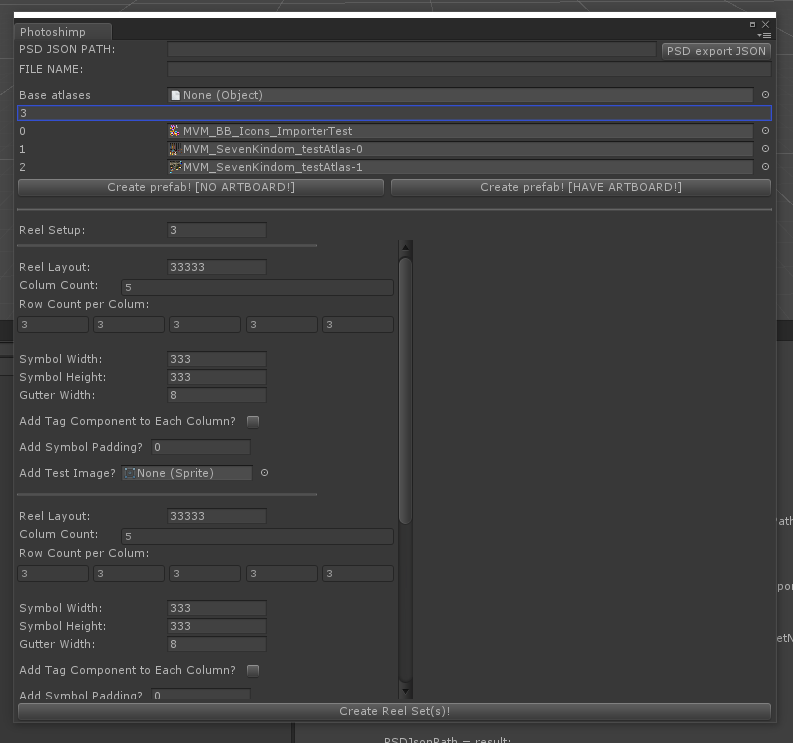
This tool was for a slot game. A programmer had made an importer for its art assets. However, that importer didn’t have a visual interface which means most artist didn’t like to use it, so the tool was largely forgotten.
One of my coworker made an exporter tool in Photoshop which would batch process large amount of assets at the the artist command. But that shifted the workload onto the TA group who have to build the prefabs with all the assets. When I found out about the importer tool that was already there, I was very eager until I tried to use it. It had all the core functions with no customization or visual reference. It would import art assets, make all prefabs in one go. Every change or update to the art assets would force the user to wait for the tool to build every prefab as a new set of prefabs. And it had a lot of build in ‘magic numbers’ which made it unusable with the new layout.
Doing what Technical Artist does, I decide to give it a interface and generally made it more user-friendly. I pulled out all the magic numbers, split the functions into different sections so the user can edit the different sections independently. It took me a while but I did eventually finish this window. I learned a lot about C# and Unity menu building while working on this. Having the artists thank me for making this tool so they could run it in unity and quickly see what their hard work turned into in was priceless. 🙂